
DML EA MultiButtons BASIC
DML EA MultiButton BASIC is a tool designed for less experienced users of DML levels, offering all the necessary features for effectively utilizing these levels. Although it is a simplified version compared to the PRO version, it includes all the key functions needed for visualizing DML levels and making quick investment decisions. With its intuitive interface, MultiButton BASIC allows for easy management of setups, providing solid support in daily trading.
DML EA Multibuttons BASIC - User Guide
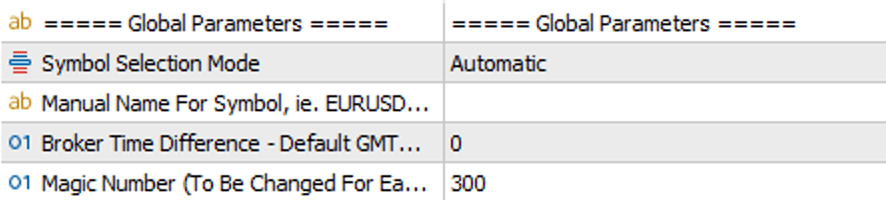
=== Global Parameters ===
Symbol Selection Mode (Automatic/Manual): In "Automatic" mode, the EA automatically detects the financial instrument. If automatic detection does not work correctly, you can manually enter the symbol name in "Manual" mode.
Manual Name For Symbol: Field for manually entering the name of the financial instrument.
Time Default: The default time is GMT 0. This may need to be adjusted depending on the time zone of your broker's servers.
MagicNo: Field for entering a unique Magic Number for the EA. Each EA on a single financial instrument must have its own unique Magic Number.
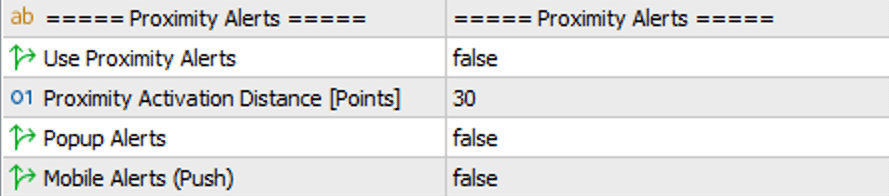
=== Proximity alerts ===
Proximity alerts: Enables/disables options related to alerts.
Proximity activation distance (Points): Specifies the sensitivity of the alert. This parameter indicates the number of points between the selected DML level and the price that will trigger the alert.
Popup Alerts: Enables/disables the pop-up notification alert.
Mobile Alerts: Enables/disables the alert in the form of a notification on mobile devices.

=== Always Display Levels ===
Always Display Extended Levels: Shows/hides historically extended DML levels.
Always Display Alert Levels: Shows/hides historically marked alerts on DML levels.
Note: "Always Display Extended Levels" and "Always Display Alert Levels" work in such a way that if you have purchased a package with 50 days of history but visualize (set in the "Look Back Days Of History" option) only 10 days of history, levels older than 10 days will only be visible if they have been extended or have an alert set.
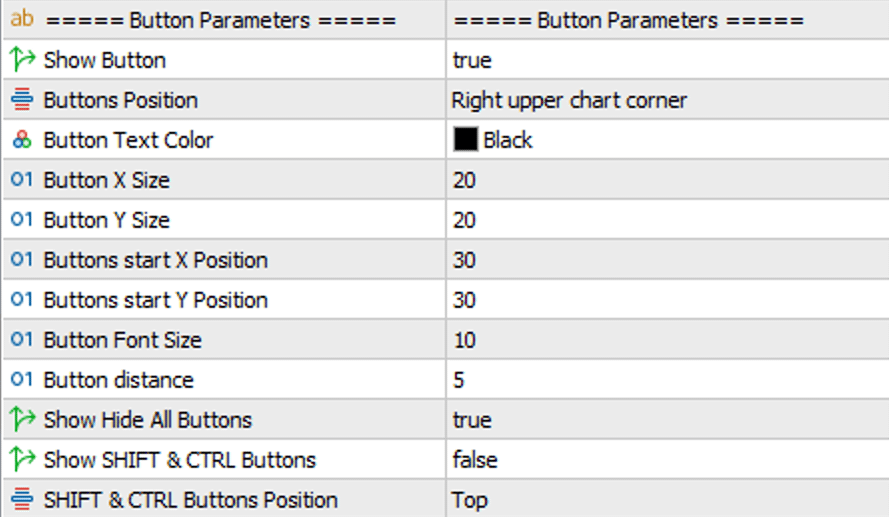
=== Botton Parameters ===
Show Buttons: Shows or hides buttons associated with specific DML levels (colors).
Buttons Position: Specifies the corner of the chart where the buttons will be placed.
Button Text Color: The color of the text on the button.
Button X Size: The size of the button horizontally (relative to the X-axis).
Button Y Size: The size of the button vertically (relative to the Y-axis).
Buttons start X Position: Specifies the starting position - relative to the X-axis - for the list of DML level buttons.
Buttons start Y Position: Specifies the starting position - relative to the Y-axis - for the list of DML level buttons.
Button Font Size: Specifies the font size on the button.
Button distance: Specifies the distance between the buttons.
Show SHIFT & CTRL buttons: Shows/hides the buttons responsible for switching to the permanent mode of extending (SHIFT) and alerting (CTRL) DML levels.
SHIFT & CTRL Buttons Position: A parameter that allows you to indicate on which side of the DML level buttons the "extended menu" should appear.
Note: Regardless of whether the SHIFT and CTRL buttons are visible, a hidden function allows you to extend the selected DML level (by holding the SHIFT key on the keyboard + left-clicking on the selected DML level) and set an alert on the selected DML level (by holding the CTRL key + left-clicking on the selected DML level). To activate the alert, the corresponding function must be enabled in the "Proximity alerts" group.

=== Levels Parameters ===
Look Back Days Of History: The number of days of history that the EA analyzes in retrospect to generate DML levels. The value "10" means that the EA analyzes data from the last 10 days.